.jpg)
INTERIOR DESIGN CAPSULES SERIES WITH
ENG. TOHAMY
"Fast, focused courses that help you master specific skills in record time."


WHY "DESIGN CAPSULE"?
Because it gives you a concentrated dose of knowledge and real-world experience in interior design and design software—from basic concepts to executing a complete project. All in just 12 practical sessions, with direct guidance from Eng. Tohamy.
INTERIOR DESIGN FINISHING CAPSULE COURSE OVERWIEW
Course Duration: 12 sessions (theory + hands-on)
Each session is a focused capsule on a key finishing or design topic.
.png)
SESSION 1: INTRO TO THE WORLD OF INTERIOR DESIGN
Understanding what interior design is and its various forms (feature walls, lighting units, bars, decorative columns, )

Course Duration: 12 sessions (theory + hands-on)
Materials used in design (wood, gypsum, steel, stone...)
Basic dimensions for finishing (kitchen, doors, windows furniture)
Practical Task:
Collect 5 interior design inspirations from international websites
Analyze each one: material – location – function – visual effect
Measuring the space accurately
Key dimensions and potential challenges
Reading and understanding architectural spaces
Practical Task:
Study a real room or a fictional project
Do a quick hand-drawn floor plan and choose the best spot for a decor element
SESSION 2: SITE ANAIY SIS & UNDERSTNDING THE SPACE

SESSION 3: DRAWING THE FlOOR PLAN IN AUTOCAD
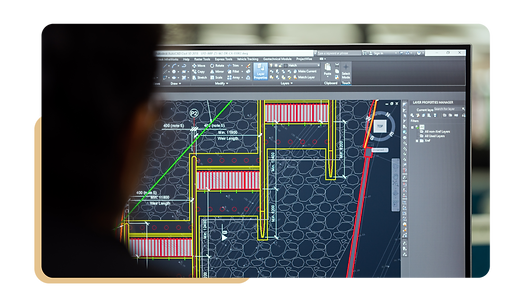
Drawing walls, doors, and windows
Adjusting measurements and scales
Preparing the layout for design work
Practical Task:
Measure real wall dimensions and openings
Draw the actual floor plan in AutoCAD
Smart ways to arrange furniture
Organizing traffic flow in the space
Using decor elements as visual anchors
Practical Task:
Create 3 different furniture layout options
Choose the best layout and explain your reasoning
SESSION 4: FURNITURE LAYOUT & SAPCE PlANNING

SESSION 5: CHOOSING MATERIALS & DESIGN STYLE
Modern – Neo-classic – Industrial – Wood-based styles
Mixing materials creatively and professionally
Creating a Moodboard

Practical Task:
Build a Moodboard with mixed materials (wood, metal, glass)
Compare two Moodboards (Modern vs. Classic)
Importing the floor plan from AutoCAD
Modeling the full space including doors and windows
Adding surrounding furniture (if needed)
Practical Task:
Build a 3D model based on your own accurate floor plan
SESSION 6: BUILDING THE 3D MODEL

SESSION 7: LIGHTING DESIGN IN INTERIOR SPACES
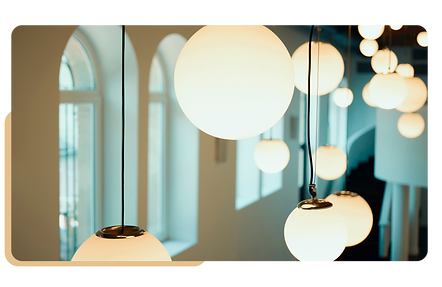
Types of lighting used in interiors
Spotlights, LED, indirect lighting
Testing lighting effects through rendering
Practical Task:
Apply spot and LED lighting to your project
Importing textures like wood, marble, metal...
Adjusting orientation and tiling
Setting up materials for realistic rendering
Practical Task:
Try out 3 different materials on your model
Compare visual effects and choose the best one
Session 8: Applying Realistic Materials to the Model

Session 9: Final Rendering of the Project
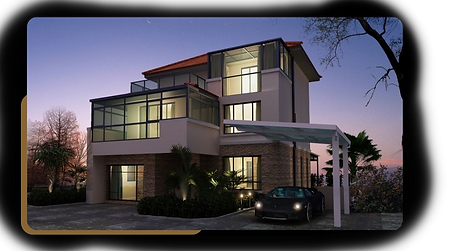
Setting up the camera and viewpoints
Exporting high-quality images
Comparing different angles to highlight the concept
Practical Task:
Choose two views (Eye-level + Top-view)
Produce final renders focusing on lighting and shadows
Session 10: PostProduction Editing
Adjusting colors and lighting
Fixing visual glitches
Adding decor elements (plants, lights,)
Practical Task:
Collect extra elements (plants, people, shadows)
Edit your render and share before/after results

Session 11: Creating Execution Drawings

Extracting floor plans and sections
Writing specs and material details
Adding technical notes (measurements – lighting – materials)
Practical Task:
Prepare full working drawings (dimensions + materials + lighting)
Session 12: From Design to On-Site Execution
How to present your design to a contractor
Preparing a bill of quantities and cost estimate
Overseeing execution to match the design
Practical Task:
Create a complete handover file (PDF with: drawings + renders + project breakdown)

Final Course Outcome:

A complete interior design project (3D + execution plans)
Realistic renders + technical working drawings
Practical Task:
A professional presentation package ready for clients or job sites